.jpeg)
Resumen rápido
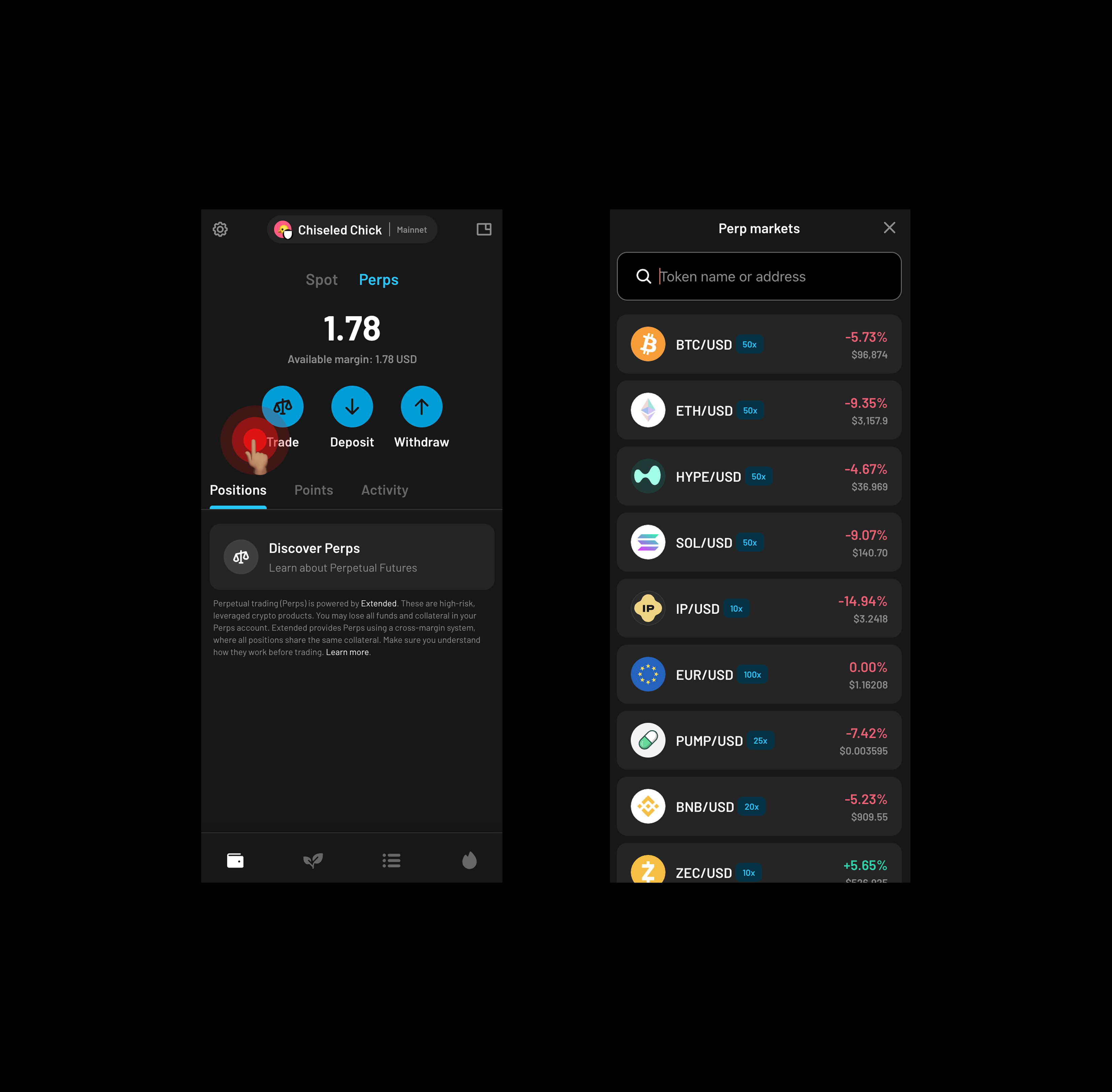
Crypto trading doesn’t have to be complicated. With Perps on Ready Wallet you can go long or short on your favourite assets with up to 50× leverage using your USDC as margin.
In this guide, we’ll guide you through how to fund your Perps account, open a position across dozens of markets, earn Extended points, and withdraw profits directly to your Ready Wallet.
Perps allow you to speculate on price movements without owning the underlying token.
1. How to access Perps on Ready Wallet
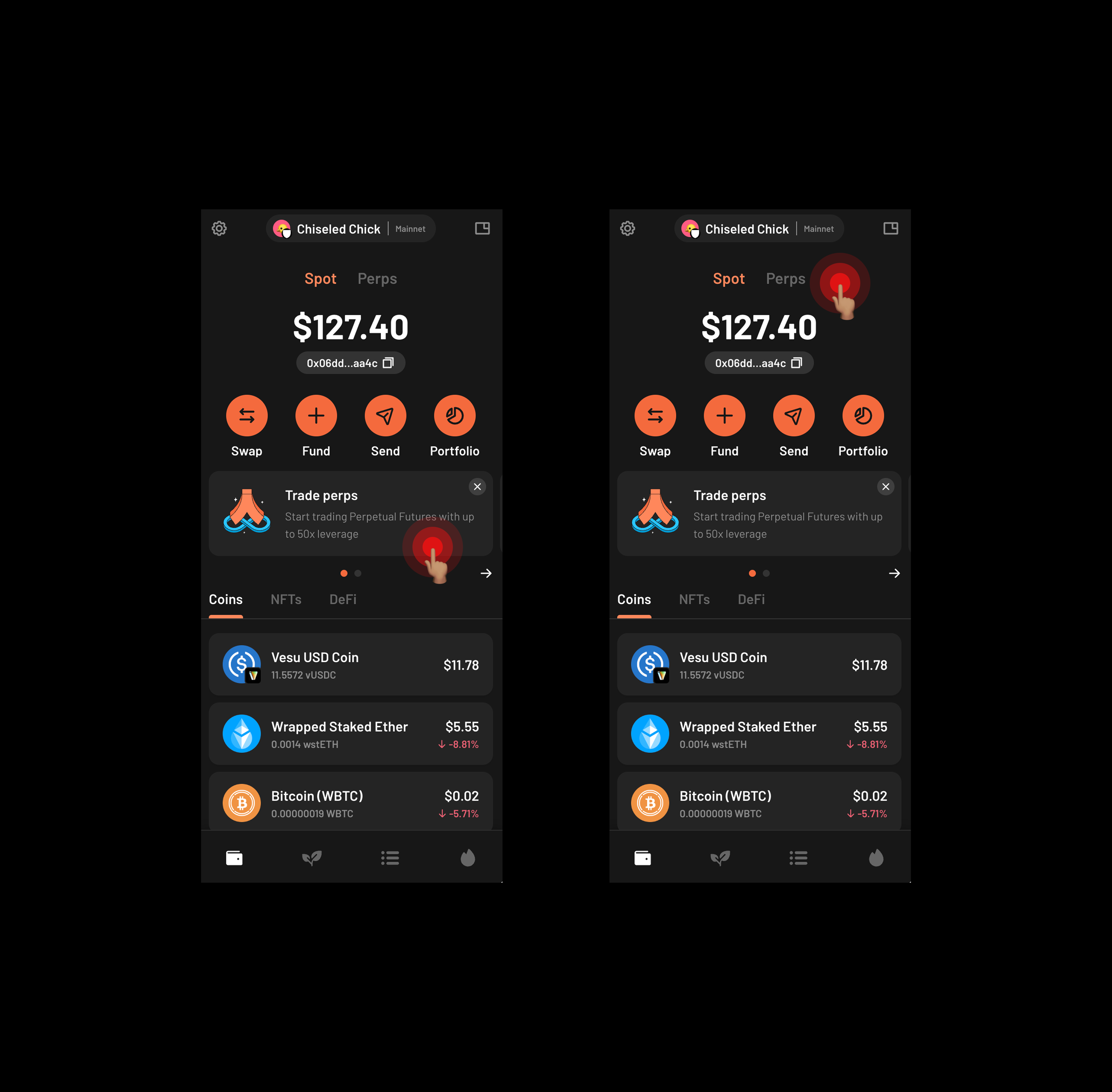
You can access Perps in two places:
- From the home screen banner (“Trade perps”)
- From the Perps tab at the top of your balance on the home screen
2. How to fund your Perps balance
Before trading, you need to deposit USDC into your Perps balance. Your regular Ready Wallet balance and Perps balance are separate, this helps you manage risk.
Step 1. Tap “Deposit”.
Choose how much USDC you want to move from your Ready Wallet Spot account into your Perps account.
Step 3. Confirm the transfer.
Click “Deposit” and your USDC will appear in your Perps account instantly.
You’re now ready to trade.
.png)
.png)
3. How to start trading
You can trade more than 100 pairs, including BTC/USD, ETH/USD, SOL/USD, BNB/USD, STRK/USD, and many more.
Step 1. Select a market
Choose the asset you want to trade (e.g. BTC/USD or ETH/USD).
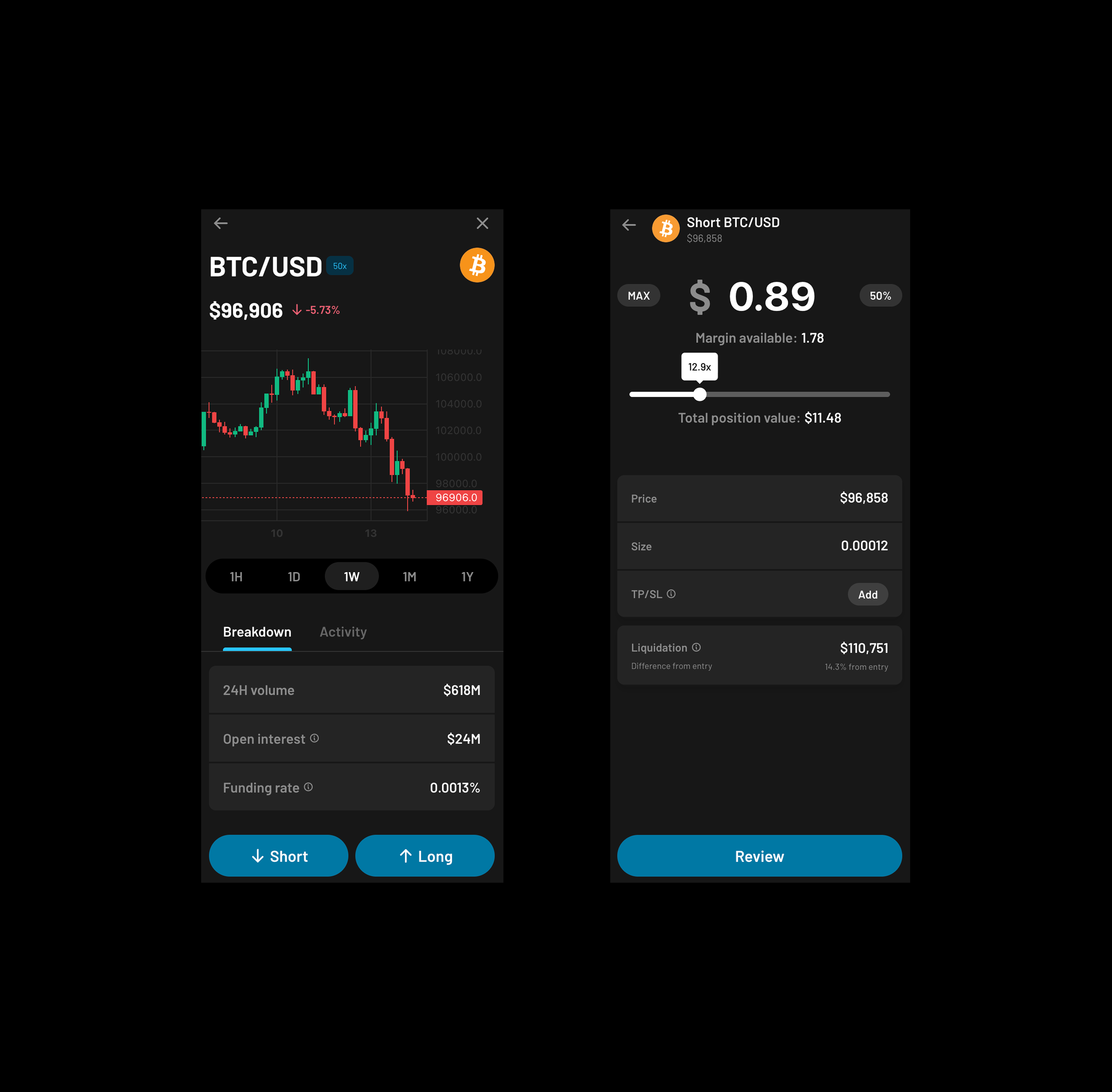
Step 2. Choose Long or Short
- Long → You think the price will go up
- Short → You think the price will go down
Step 3. Enter your margin
Choose how much USDC you want to risk for this trade. This margin defines the size of your position.
Step 4. Choose your leverage
Select your preferred leverage up to 50×.
Higher leverage = higher risk.
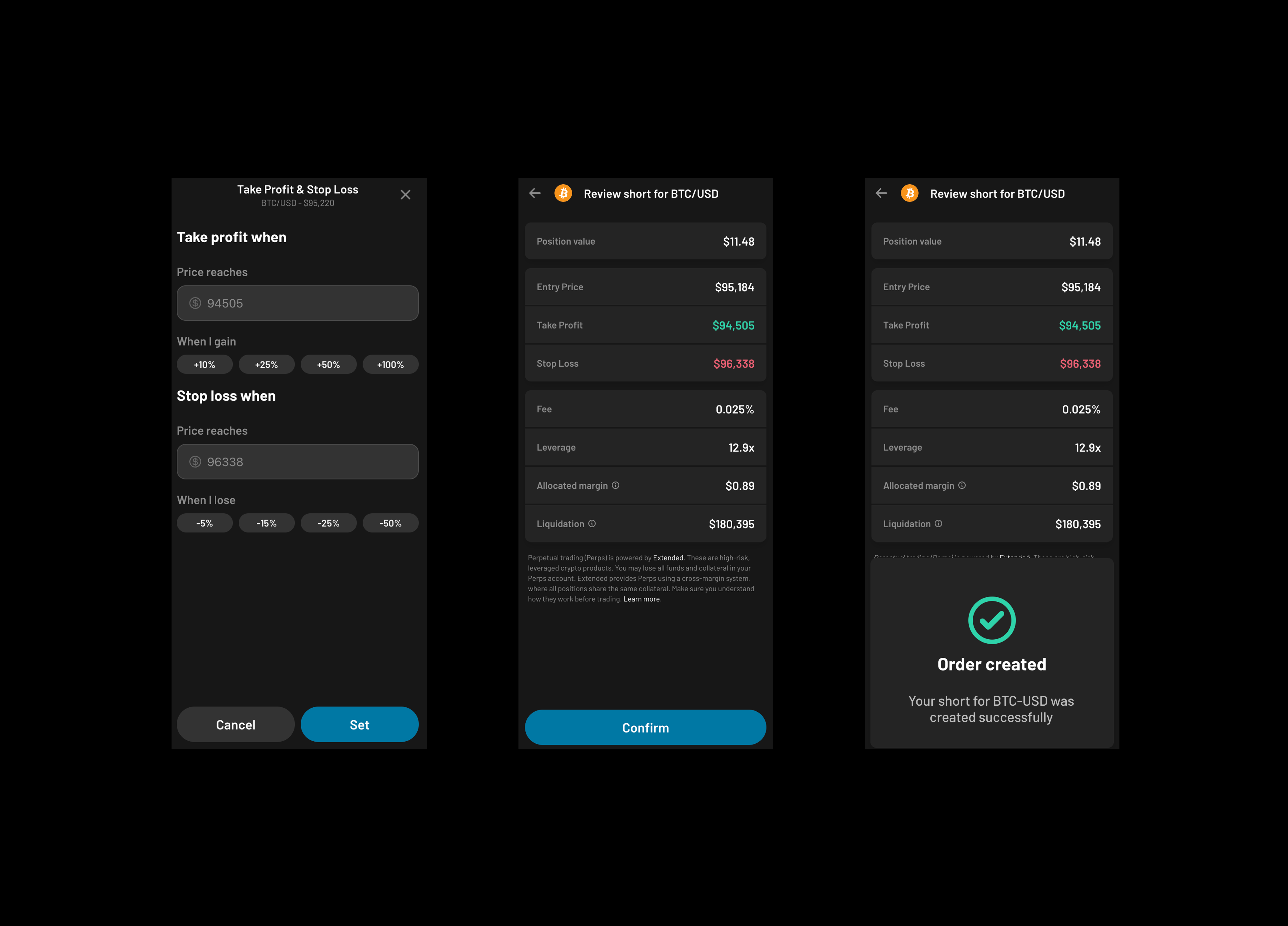
Step 5. Set optional risk controls
You can add:
- Stop Loss (SL): Automatically close if price moves against you
- Take Profit (TP): Automatically close when your target is reached
Limit order: Enter only at your chosen price
Step 6. Set and Confirm
Your order is created.
4. How to manage an open Perps
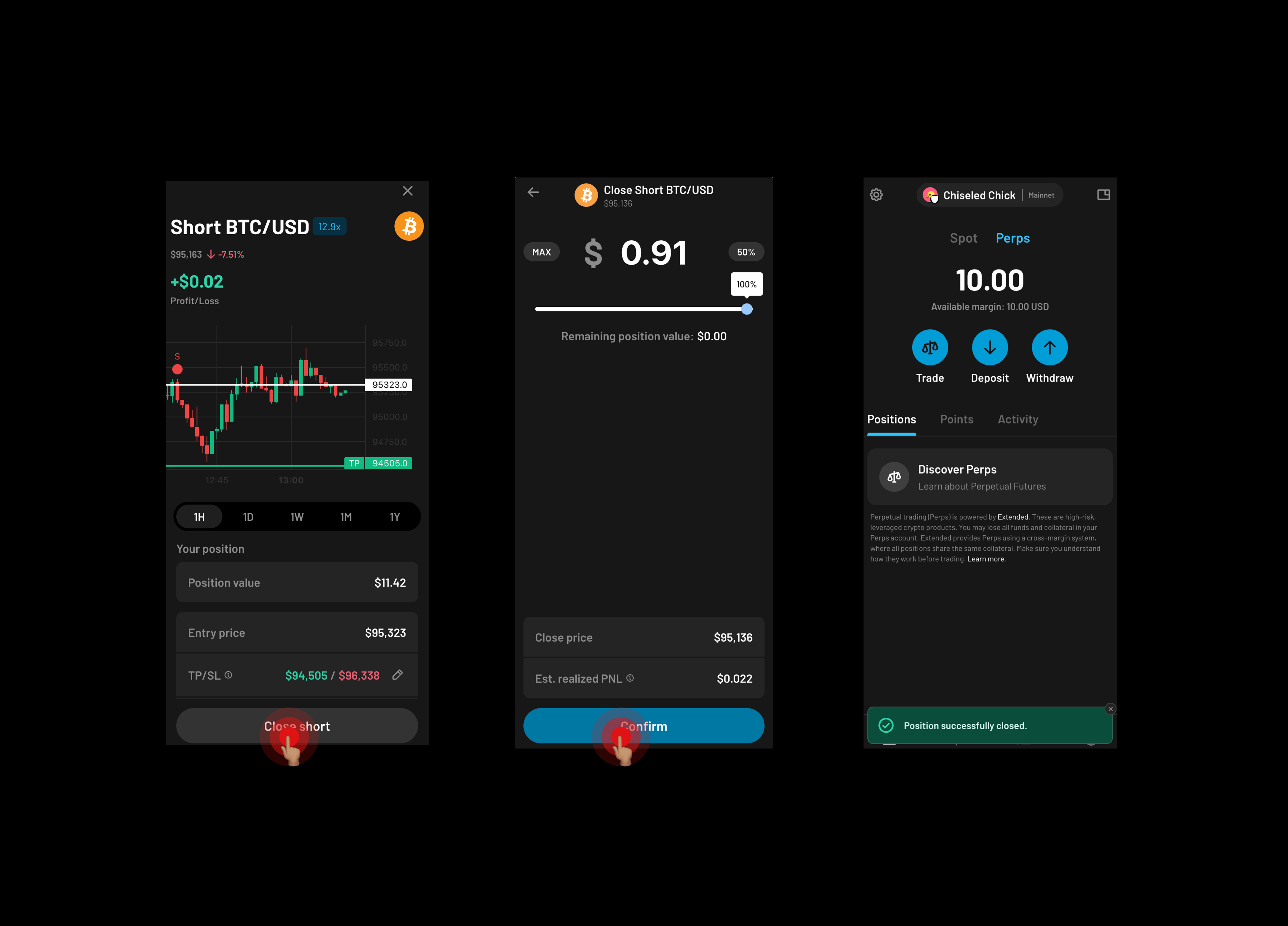
Tap your Perps balance to see all active positions.
Here’s what you can do inside an open trade:
- Modify Stop Loss or Take Profit: you can update your SL or TP
- Close your position: either partially or fully, Ready Wallet lets you close your position with one click.
- You’re just not allowed to modify the margin.
5. Congrats, you’re trading perps on Ready Wallet 🎉
With Perps, you can speculate, and trade the markets you care about, all inside the simplest interface in crypto.
Trading perps with Ready Wallet gives:
- A 10% Extended points boost
- Access to hundreds of new assets
- A free Ready Metal card for top traders
And full control over your risk.
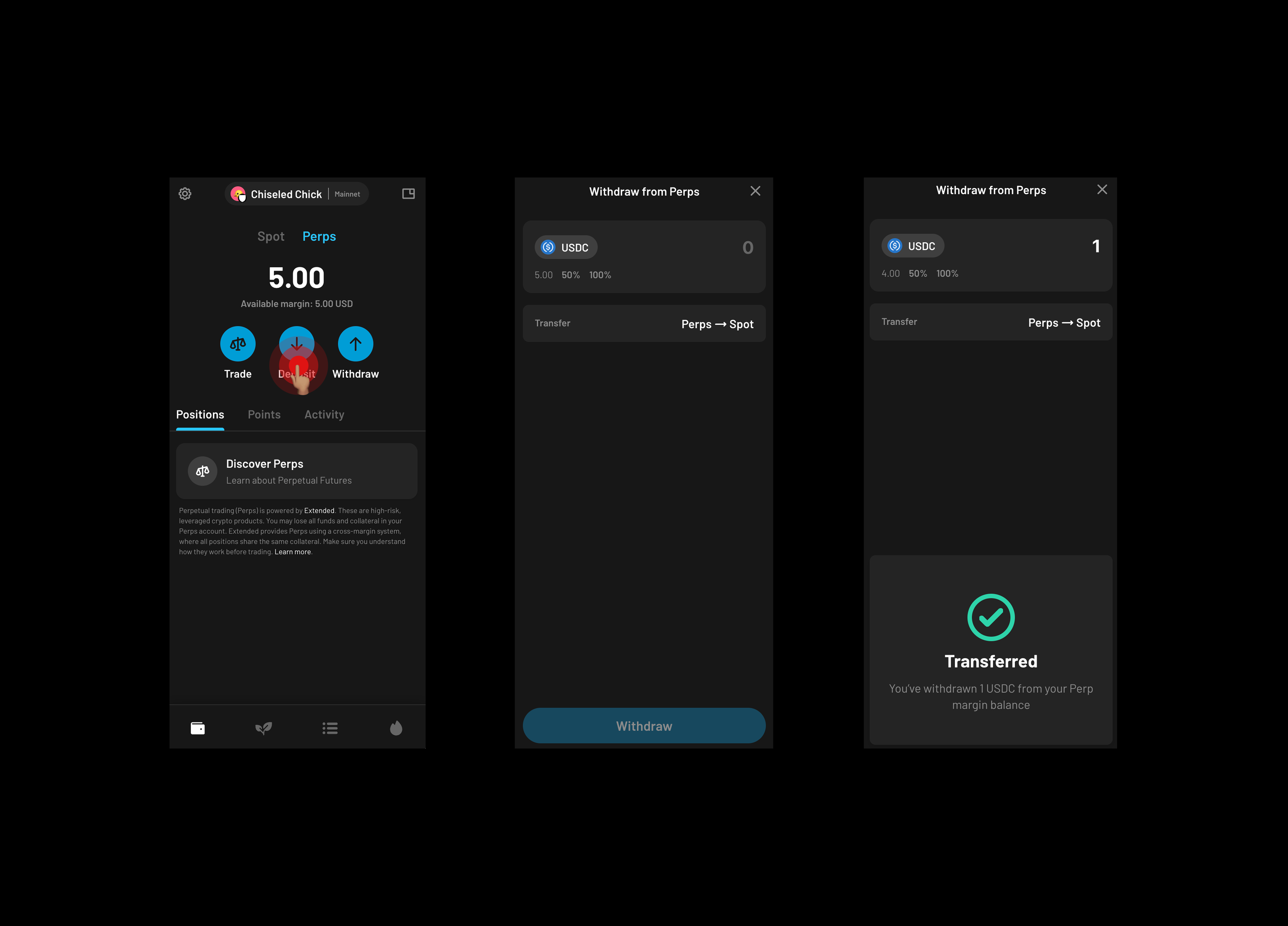
6. How to withdraw your Perps balance to your Ready Wallet Spot balance
When you close a Perps position, profits stay in your Perps balance until you withdraw them.
Step 1. Tap “Withdraw”
Select how much USDC you want to move back into your Ready Wallet (spot account).
Step 2. Confirm withdraw
The funds transfer instantly.
Step 3. Spend or use your profits
Once back in Ready Wallet, you can stake, swap, connect to apps, or send to your Ready account to spend with your Ready Card.
7. Key Perps concepts in a nutshell
- Long: You make profit if the price goes up.
- Short: You make profit if the price goes down.
- Margin: Amount of USDC you put into a trade.
- Leverage: Multiplies your exposure (e.g., 10× leverage turns $100 margin into a $1,000 position).
- Stop Loss (SL): A safety guard that closes your position if the price goes against you.
- Take Profit (TP): A target that closes your position automatically when profit hits your goal.
- Funding rate: Small periodic payments between long and short traders to align prices; shown inside the UI.
- Extended: An onchain trading platform (DEX) that powers Perps in Ready Wallet.
- Extended Points: Points you earn for Perps trading activity on Ready Wallet. The more you trade, the more points you earn. Ready Wallet users get a 10% points boost, and top traders can qualify for rewards, including the chance to win a free Metal card.
Risk disclaimer
Perpetuals and leveraged trading involve significant risk and can result in loss of funds.
Only trade with money you can afford to lose.
Got questions?
Reach out anytime at help@ready.co
.png)